
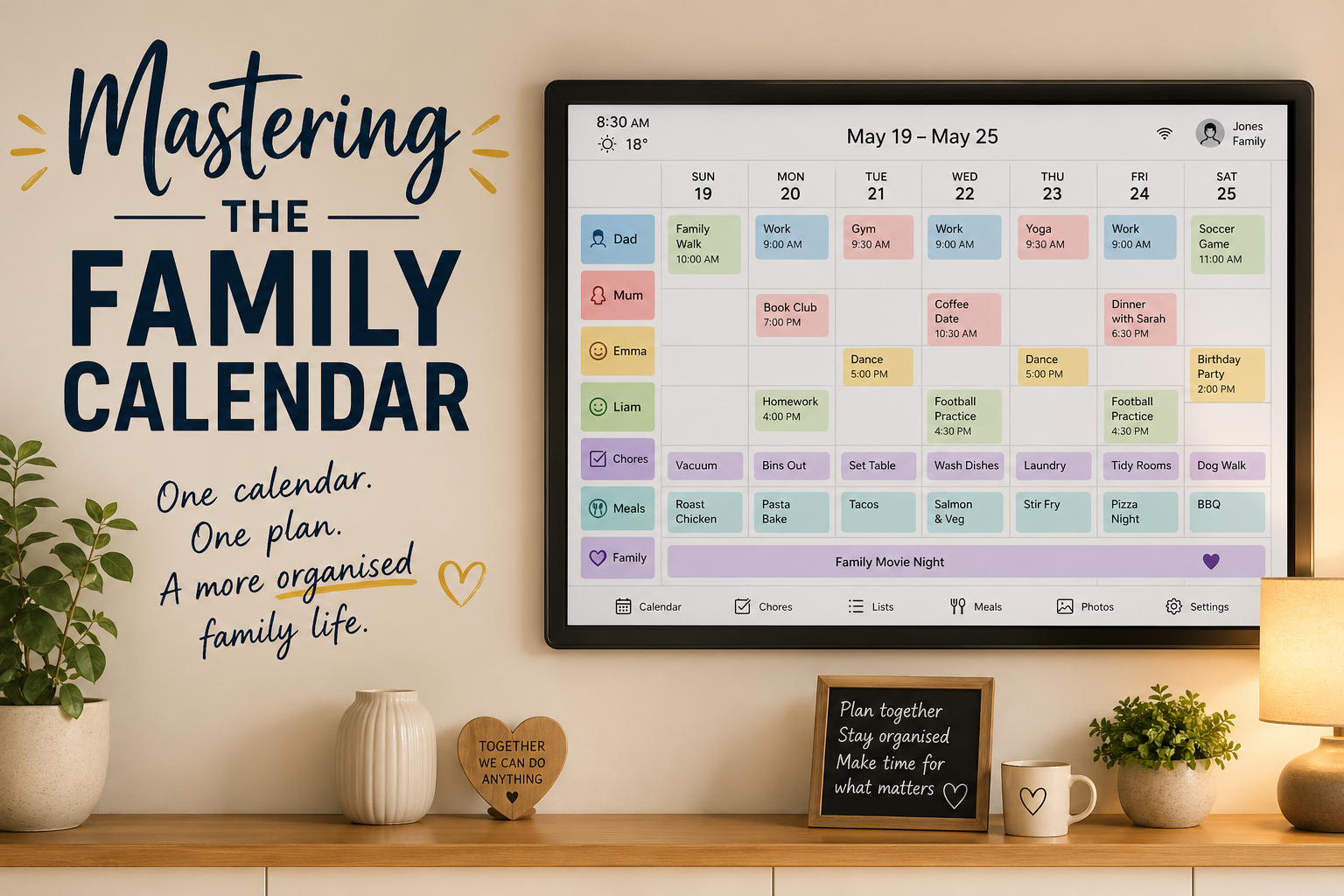
In every household, logistics can sometimes feel like a full-time job. There are school runs, medical appointments, birthday parties, and meal planning, alongside everyone's individual hobbies and interests. Without a system, things can easily slip. The key isn't to simply "be more organised" but to find a way to manage the chaos of daily life, and sometimes that can be a dedicated family calendar.
Here's how you can master your family calendar as we explore three powerful tools that can help: The Skylight Calendar, Abilia's Memoplanner and the Team-Up Calendar.
Step 1: Decide on the central source.
Often, each family member will have their own way of managing their schedule and end up running multiple disconnected systems. One parent may choose to use their built-in phone calendar, while another prefers to write notes in a physical diary or notepad. In the meantime, kids might come home from school and forget to mention they have an event coming up, and emails might sometimes flood the family inbox, making it hard to keep track of who needs what, were and when.
Choosing a central calendar that everyone agrees is the place for plans, whether digital or physical, is a must. For regular prompted use, though, having a whole family Calendar that is physically in the space, easily accessible, updated regularly and shared by everyone might be the best way forward for most busy households. Consistency matters more than complexity.
What are the current options on the market?
The Skylight Calendar
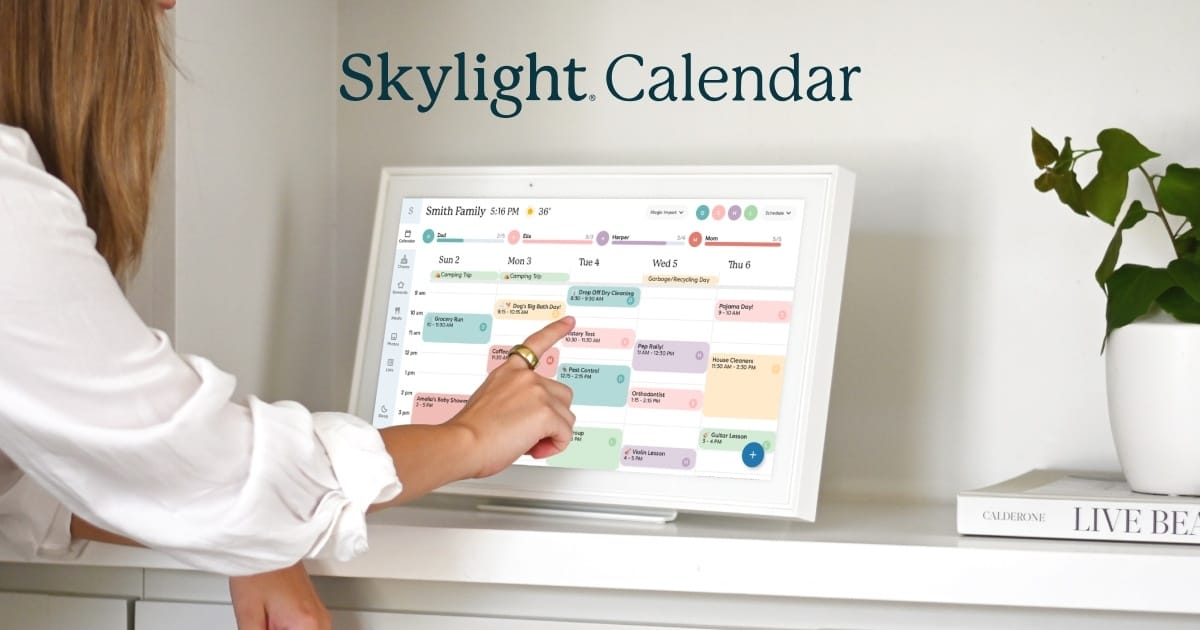
Offers a wall-mounted smart touch screen designed to live in high-traffic and accessible areas of your home (whether that be the kitchen or the hallway).
- Has a large, Wi-Fi-connected touch screen that is always visible.
- Colour-coded schedules for each family member (these can even be pastel for those who may have a need for a less noisy aesthetic).
- Syncs with most digital calendars either via app integration or via a web link, so that all family calendars can be displayed on one screen.
- Views can be switched between day, week and month and are each organised with clear visual layouts.
- This system is designed for collaboration, making it ideal for families, support networks and care environments.
- It includes real-time updates across all devices, and access can be shared with multiple users on their phones.
- Includes Chore tracking and reward systems that can be assigned to specific individuals.
- Tasks can be checked off, and rewards can be created, such as 'If Jimmy reaches 20 stars, he gets to go to the cinema as a reward'.
- Stars can be assigned to each task individually, so higher value tasks may have more stars associated with it, as opposed to lower value tasks. All stars can be put towards the same rewards, though.
- Each family member may have different rewards to encourage independence and accountability.
- Tasks can be checked off, and rewards can be created, such as 'If Jimmy reaches 20 stars, he gets to go to the cinema as a reward'.
- Has the function to create and manage shopping lists and meal planning alongside managing routines.
- Emails and PDF documents can be forwarded to Skylight Calendar's AI assistant to book appointments or events for you, such as medical letters, school posters etc...
- If someone wants to schedule an appointment and they don't have access, they can email the calendar directly, and the AI assistant will do this for them.
- Can be kept private and used as a picture frame display when not being actively used.
The Abilia MEMOplanner
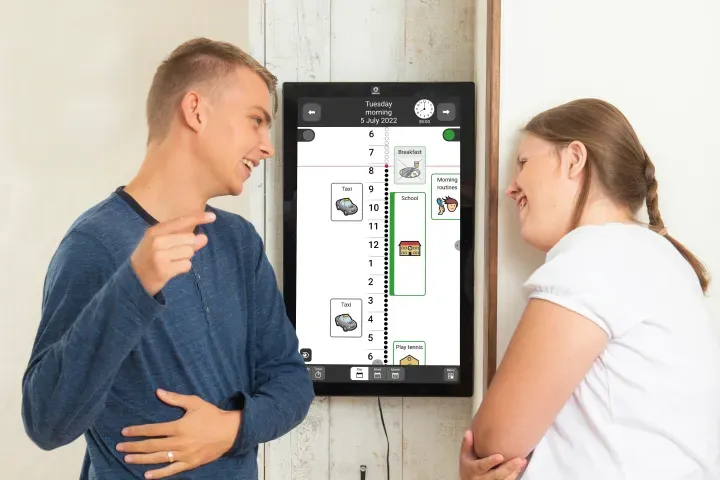
Offers a visual planning aid providing a clear visual overview of the day, week and month, though it is more tailored to an individual rather than the entire family.
- It displays the current time and part of the day (morning, afternoon or evening).
- Scheduled activities and appointments can be added on a linear visual timeline.
- Photos/videos and symbols can be added to these events for a more personalised approach.
- Reminders and checklists can be created and added to within template libraries for easy access.
- The MEMOplanner aims to reduce stress and cognitive load for those who require support with externalising memory.
- Users can look to the display to find out what is happening now, what is coming up next and what they need to do (whether this be a hygiene task list or instructions on how to make the perfect cup of tea).
- It promotes independence, where users may begin to initiate tasks without prompts, follow routines more consistently or manage their own schedules. The structure and predictability can reduce anxiety related to planning and recall.
- Family members and support staff can also add or update activities remotely.
Team-Up
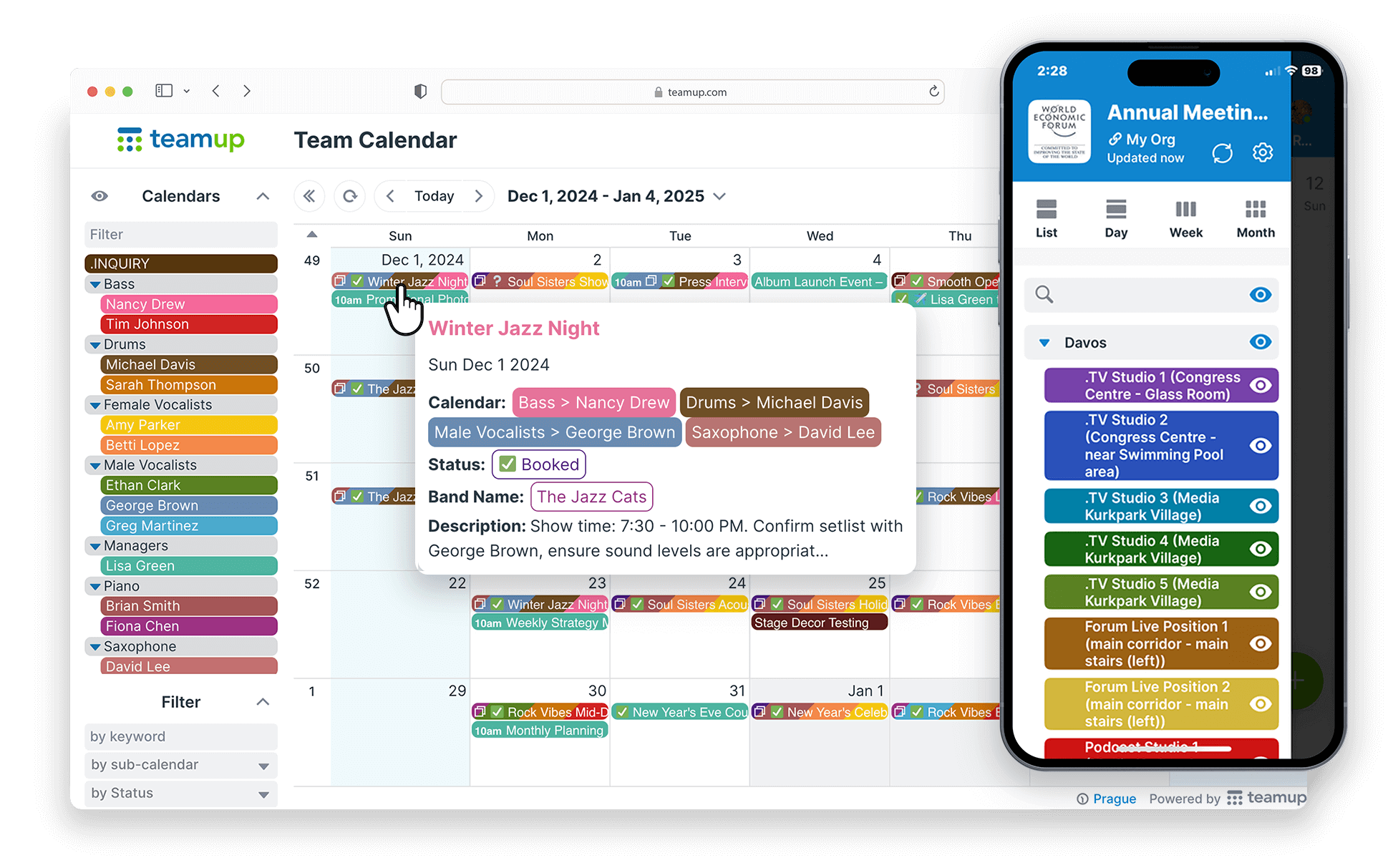
Is a shared, cloud-based calendar system that allows multiple users to view, manage, and update schedules in real time and in on central place.
- Most calendars can be integrated into Team-Up, much like with the Skylight Calendar.
- Users can switch between day, week, month, or timeline views.
- Calendars can be categorised and either selected as visible or hidden, to help users focus on what matters. These categories can also be colour coded so that school events for example are blue, but medical appointments are orange.
- Families can coordinate daily routines with editing permissions being authorised and shared.
- It is accessible everywhere on smartphones, tablets and computers. All that is needed is a secure internet connection.
- It is more than just a scheduling tool, but a collaborative system for organising life.
Conclusion
Choosing the right calendar for independence, clarity and control is important. When comparing the above devices, a clear theme emerges: the right calendar isn't just about scheduling - it is about enabling independence, reducing cognitive load, and improving quality of life.
Each solution has it's strengths:
- The Skylight calendar - sits between the two, offering a visually engaging, home-based solution that combines scheduling everyday organisation. It is especially effective in promoting shared responsibility and routine within the household. home-based solution that combines scheduling and
- MEMOplanner - excels as a specialist assistive technology, designed for individuals with cognitive challenges who need strong, visual structure, routine and simplicity.
- The Team-Up calendar - provides a highly flexible, collaborative platform ideal for coordinating multiple people, services and responsibilities. Its strength lies in adaptability and shared access.
Ultimately, these tools are not just calendars, they are enablers or participation and control. Whether supporting someone with a brain injury, coordinating a busy household, or managing professional responsibilities. The right system can transform daily life from something reactive and overwhelming, into something structured, predictable, and empowering.
Choosing the right device is not just about finding the right calendar, but also a system that fits the person behind it!